
On supported Galaxy devices, the usual installation route is Settings → Connections → SIM manager → Add eSIM. Samsung documents QR-code and other activation methods, but availability and labels depend on the handset, market, carrier and software version.
Who is this for?
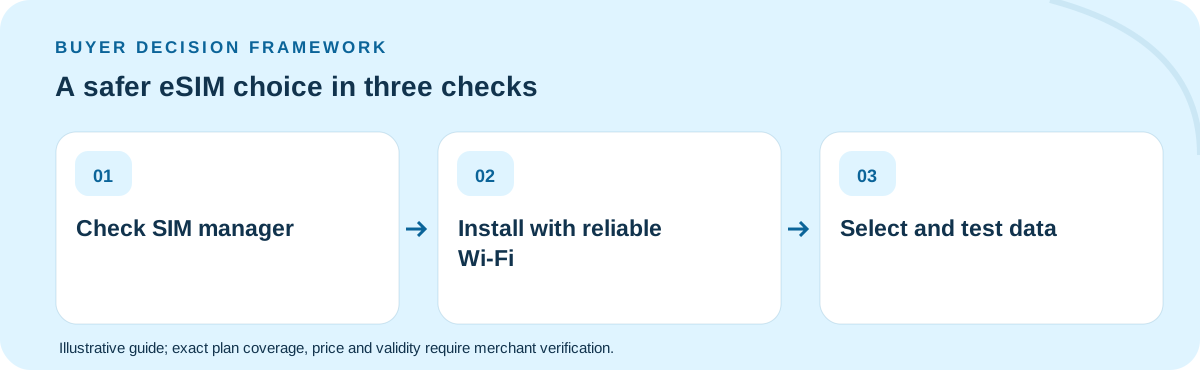
A family member can successfully scan a QR code on home Wi-Fi yet still arrive abroad with no mobile internet. Installing a profile is different from selecting it as the active data line, and selecting it is different from confirming that the plan is valid and can register on a local network. Those are three separate checkpoints in a reliable arrival routine.
How to compare the available choices
Inspect the actual Galaxy model and regional eSIM support before you buy. At purchase, record the activation policy and whether a QR code can be reused. On strong Wi-Fi, install only according to the supplier instructions. After landing, open SIM manager, choose the intended data line and review any roaming setting the supplier requires. Do not enable roaming on a home SIM by reflex.
What to do before departure or purchase
Prepare an offline backup of the QR code access instructions, purchase receipt and hotel address. If the profile is installed but cannot connect, check whether the profile is enabled, the destination is covered by this exact plan, the correct data line is selected and any provider-specific APN is required. A network shown in a country research table is not proof that every sold SKU can use it.
Worked example with explicit assumptions
Consider a parent with a Galaxy and a child sharing hotel Wi-Fi. The parent needs maps and transport on arrival, while the child only needs messenger access later. An illustrative 5 GB family pool is irrelevant if the product cannot be hotspot-shared or if the family owns two separate devices. Decide line-by-line whether one hotspot or two plans is actually supported.
Common mistakes to avoid
Failure recovery should not start with repeatedly removing and reinstalling the profile. A deleted eSIM may require vendor assistance to restore. Also avoid assuming a screen titled “Mobile networks” in a foreign tutorial maps exactly to your One UI release. Use your handset menus and current Samsung support instructions.
What would change the answer?
The QR code is not the purchase receipt. Keep these records separately: order identifier for support, activation instructions for setup, and the plan specification for validity and permitted roaming. If a trip spans more than one country, test the coverage list for each leg before selecting the travel profile. If the phone was purchased abroad, verify its precise model code rather than relying on an online guide for a different Galaxy variant.
Five-item decision worksheet
| Check | What to verify |
|---|---|
| Eligibility | Confirm the exact device, activation method and covered destination(s) against the retail product, not a country-average study. |
| Validity | Work backward from the situation described in this guide: A family member can successfully scan a QR code on home Wi-Fi yet still arrive abroad with no mobile internet. Check when the clock starts and the last active day. |
| Usage | Estimate the full-speed GB or communication capabilities this particular itinerary needs; include hotspots, essential apps and an emergency buffer. |
| Economics | Compare current final payable totals only among options that meet every requirement; treat any arithmetic example here as hypothetical. |
| Fallback | Before departure, consider this failure mode: Failure recovery should not start with repeatedly removing and reinstalling the profile. Keep the seller’s support instructions available offline. |
Which option should you buy?
Choose an eSIM only after handset eligibility, arrival settings, hotspot needs and destination coverage are verified. Keep the support contact and activation instructions accessible offline. The final retail page should decide price, validity and allowed use—not this evergreen guide.
Does scanning a QR code mean my Samsung eSIM is active?
Not necessarily. Installation, line enablement, data-line selection and successful network registration can be separate steps; verify each on the actual handset.
Primary technical/regulatory reference: official guidance for this topic. This source provides background, not a verification of any live TripoSIM SKU. The scenarios, prices and quantities in this guide are illustrations, not tested carrier offers. Every product's eligibility, data, voice, coverage, activation, fair use and current final price must be checked with the seller before purchase.
Ownership: This website is commercially affiliated with TripoSIM. It does not claim independent testing, neutrality or live catalog pricing. See research methodology.